File verification, APK for armeabi-v7aSignature matches the developer’s certificate
Unmodified file: same certificate as this app’s versions from the official app store, signed by Intugame (Georgi Georgiev). A signature shows who signed the file, not how the app behaves.
Hi, There you can download APK file "Intugame VR" for Android free, apk file version is 1.4.1 to download to your android device just click this button. It's easy and warranty. We provide only original apk files. If any of materials on this site violates your rights, report us
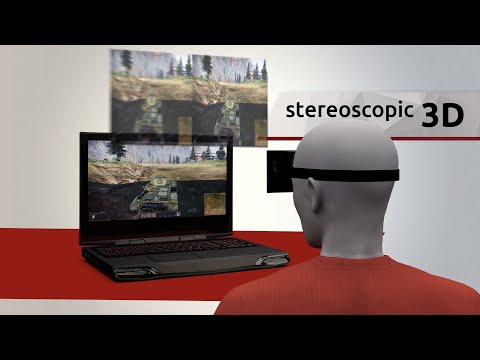
Play your PC games in 3D with the help of 3D headset like Google Cardboard, Zeiss VR One, Durovis Dive, Homido or any other VR headset.
This version is limited to 10 minutes game play.
We stream any of your PC games to your mobile in stereoscopic 3D.
We track your head movement and control your point of view in the game with it.
What do you need to enjoy our app
1. Google Cardboard, Zeiss VR One, Durovis Dive or any other headset for stereoscopic 3D.
2. You need to install our software on your desktop PC from http://intugame.com/get-intugame-vr/ (there is installer that will create desktop and start menu shortcut for Intugame VR)
3. Start our Windows desktop app you installed.
4. Start your game in windowed mode if you have Windows 7 or Windows 8.
5. Make sure both your PC and mobile are connected to the same WIFI network or use cable and USB tethering mode.
6. Start our mobile app, hit Play button and put your mobile phone in the 3D headset.
Like us on facebook https://www.facebook.com/intugame or subscribe for updates on http://intugame.com/get-intugame-vr/
This version is limited to 10 minutes game play. If it works for you support us and buy the premium version with unlimited game play. We continue working and improving this product.
https://play.google.com/store/apps/details?id=com.intugame.premiumvr
FAQ:
- If you get black screen on the device - check you start the game in windowed or windowed fullscreen mode.
- On a laptop if the PC app closes on connect - try to use the integrated graphic card (disable the dedicated graphic card).
- To reduce lag - you can try connect a cable with the PC and enable USB tethering instead of using WiFi for connection. Go to Phone settings -> Connections -> More networks -> Tethering and portable hotspot and activate USB tethering.
This section tracks versions of Intugame VR for Android added to the apk.cafe catalog.
Versions of Intugame VR. The apk.cafe catalog has only one version of Intugame VR: 1.4.1 (Jul 5, 2017). There are no older versions in the catalog. It needs Android 4.4 or newer.
The date shows when the version was added to the apk.cafe catalog.